
Products & Inventory
Count products on shelves, in packaging, displays or storage locations.
Tiliter Vision Agent
Count what's in a photo, from cartons, pallets and deliveries to equipment, industrial inventory and pipe spools. The agent returns how many are there against how many were expected, captured on a phone or pulled from a fixed camera.
Object Counter
Tiliter counts items in a photo the moment it's submitted – accurately, instantly, and without the recounts. From tyres and pallets to parts and packages.
Yard 03 · Bay A · 09:18 · Daniel R.
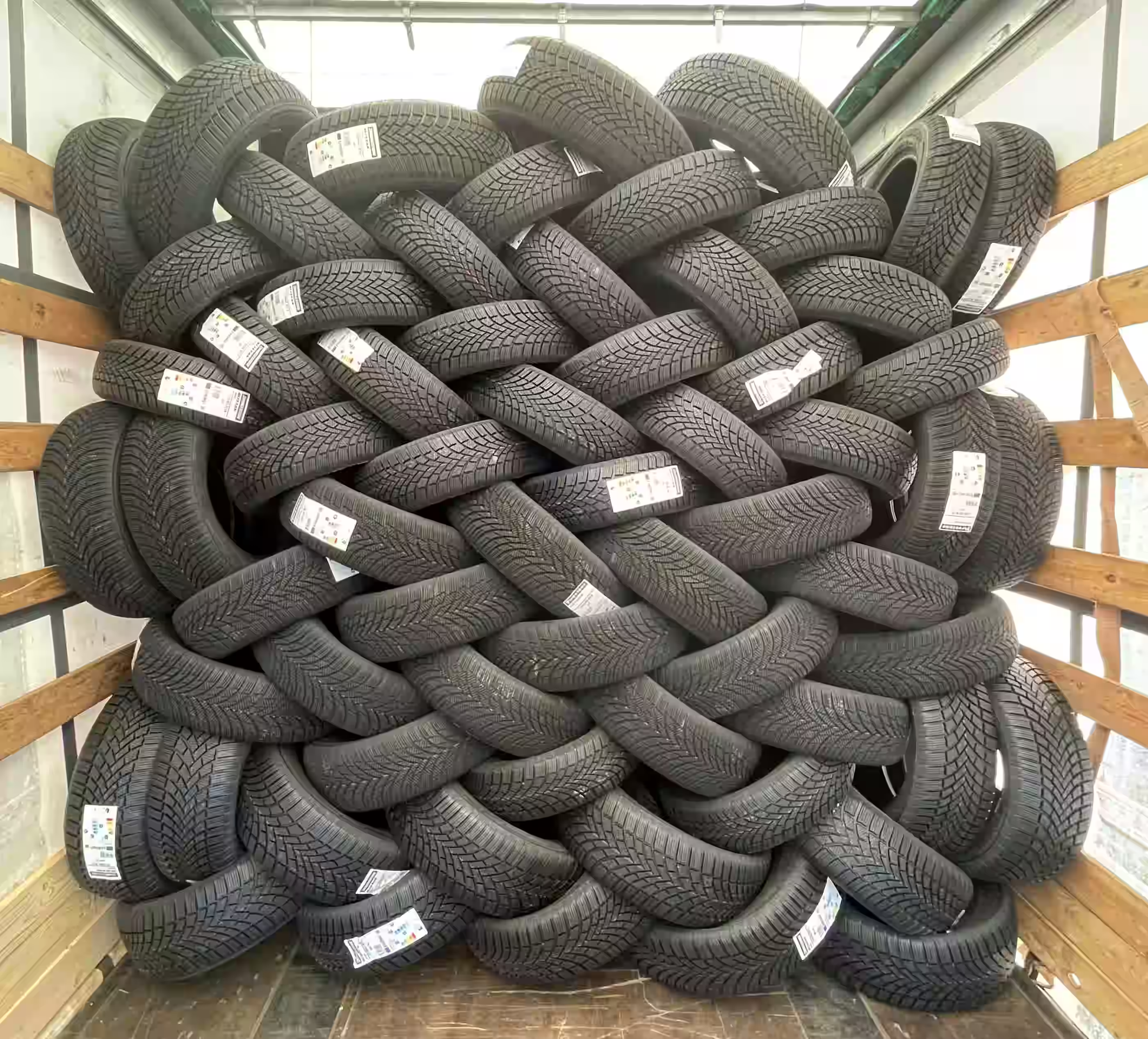
Detection summary
What this means for your operation
Illustrative impact for a team running ~400 stock counts per day across sites
Large industrial items are often easier to count than small ones, because they sit further apart in the frame. Plant, machinery, stacked stock and palletised goods all work the same way: photograph what is there, and the count comes back against what was expected.
Count products on shelves, in packaging, displays or storage locations.
Count machinery, pipe spools, drums and site equipment, or verify required tools and safety gear before and after tasks.
Count pipes, boxes, pallets, parts or delivered goods quickly and accurately.
Track traffic flow, occupancy, queues or vehicle movement across sites.
The Object Counting Agent fits into existing operations by automatically counting visible items in submitted images and returning structured results for review, reporting or workflow automation.
Teams submit images from mobile devices, inspection workflows, warehouse processes, cameras or existing operational systems.
The Object Counting Agent identifies and counts visible items such as products, parts, packages, assets, tools or other defined objects.
Counts can be reviewed, compared against expected quantities, sent into reports or used to trigger follow-up actions.
See how teams use the Object Counting Agent across logistics, construction, manufacturing and analytics.
Automatically verify delivered items from images with fast, auditable and dispute-ready results.
Read use case →Detect people, machinery and risks from site images without complex hardware.
Read use case →Automatically analyse years of footage to identify people, topics, objects and key events.
Read use case →Turn existing camera footage into vehicle and pedestrian insights for audience measurement and media planning.
Read use case →Anything visually distinct enough to tell apart in a photo: tyres, pallets, cartons, packages, tools, parts, bottles, crates, plants. It counts a defined object type rather than everything in frame, so you get “34 cartons” rather than a total of every shape the camera saw.
It depends on how much is in the frame. A single item comes back in a few hundred milliseconds. A full rack or pallet with many items to separate takes up to about ten seconds, against roughly three minutes to count the same rack by hand and longer again if it needs a recount. The consistency matters more than the speed: the same photo counted twice returns the same number.
Every count returns a confidence score alongside the number, so low-confidence results can be routed for a human check instead of being trusted silently. Accuracy depends on your images, since lighting, angle and occlusion all matter, which is why the confidence score is part of the output rather than hidden behind it.
Either. Teams capture on web or mobile as part of a workflow, and counts can also run against images from fixed cameras. The CCTV and IP camera integration guide covers feeding existing camera infrastructure through the API.
No. Counting runs on what you submit, with no training project first. If you need specific items identified rather than counted, that is product recognition, and much of that works as it is too, with a catalogue needed only where the answer has to be your exact SKU.
Counting answers “how many of this thing are here”. Product recognition answers “which exact item is this”, identifying a specific SKU or variety. Stocktaking usually wants counting; checkout and inventory accuracy usually want recognition. Many operations use both.
Yes, and normally by configuring what you already run rather than building against anything. A count can land on the record it belongs to – in Salesforce, for instance – or be pushed to whoever needs to act on it through Slack, Zapier or Power Automate. Nobody has to remember to go and look somewhere.
Stocktakes and cycle counts set up as recurring workflows, proof of delivery verification, yard and asset counts, and counting parts or tools before and after a job. The pattern is the same each time: the count is assigned to a team, captured in the app where the work happens, and kept as a record instead of a number written on a clipboard and typed in later.
Yes, and that is one of the more common uses. Plant, machinery, pipe spools, drums, pallets and stacked stock all count the same way: photograph what is there and the agent returns how many, against what was expected. Large industrial items are often easier than small ones, because they are further apart in the frame. The limit is what the camera can actually see – anything stacked behind something else has to be captured from a second angle.
Build visual verification workflows and deploy them through mobile, web, cameras or your existing systems. Deployed in thousands of locations worldwide and ready to scale with your operations.