
Labels are unreliable
Recognise items when barcodes, labels or RFID tags are missing or unavailable.
Platform · Product Recognition
The Vision Agent that answers what is this. Point it at a product, a part or an asset and it returns the identity, SKU or asset record – with the same engine that runs at 1,000+ checkouts and reads 50M images a year.
Powered by Visual Reference Agent, Object Counter and Label Validator
A cafeteria checkout camera sees the tray. Recognition matches the prepared item against the catalogue and returns the identity, SKU and price – no code to look up and nothing for the customer to type.
Barcodes can be missing, labels can be damaged and visually similar products can be difficult to verify consistently.
Recognise items when barcodes, labels or RFID tags are missing or unavailable.
Differentiate products, parts and assets that are difficult to verify manually.
Turn visual recognition into structured outputs that systems and teams can use.
Recognition is the question “what is this”. Tiliter's other agents answer different questions about the same photograph, and they run on the same platform, so one image can be identified, counted and checked against a standard in a single pass.
Product recognition names the item, with no barcode, label or PLU needed.
The object counter returns a count against what was expected.
The visual reference agent compares the item against a reference image.
The label validator reads printed text, codes and expiry dates.
Use the same recognition workflow across retail, industrial, logistics and asset-management environments.
Fresh produce, bakery, packaged goods, returns and checkout items.
Components, fittings, pipe spools, assemblies and similar items.
Pallets, containers, shipments, crates and operational stock.
Shipping labels, batch codes, serial numbers and product packaging.
Tools, machinery, PPE, operational assets and site equipment.
Verify presentation, completeness, condition and visible defects.
The same image recognition that identifies a single item at a checkout reads a whole shelf. Photograph the fixture and get back what is on it, so availability, facings and placement are checked from a picture rather than a clipboard.
Compare what is on the shelf against what should be, from a photo taken on a normal phone.
Reps capture the fixture on a store visit and the image recognition returns the audit, not a form to fill in.
Spot gaps and misplaced product from routine store photos, across every site on the same criteria.
One catalogue applied across brands, pack sizes and variants, including items that look almost identical.
One photograph in, one identified record out. The result lands in the system that asked for it – a till, a stock count, a job card – rather than in a report somebody has to read.
Upload an image or use a mobile device, document scan or connected camera.
Match the visible item against your configured product or asset catalogue.
Send the recognised identity, SKU or asset record into your existing workflow.
Identifying which specific product is in an image, rather than just detecting that an object is there. A general vision model can tell you it is looking at a bag of produce. Product recognition tells you it is loose Pink Lady apples, which is the answer a till, a stock count or an audit actually needs.
From the appearance of the item itself: shape, colour, texture, packaging, the things a person uses to tell one product from another. That matters most for the items barcodes never covered, such as loose produce, bakery, anything sold by weight, and anything a customer would otherwise look up on a chart.
Yes, and that is the hardest version of the problem. A loose apple looks different every time, and no barcode or PLU code was ever going to cover it. Recognising produce, bakery and items sold by weight at self-checkout and on scales is what the engine was first proven on, across more than 1,000 retail locations.
Yes. One image, captured in the Tiliter app on a phone or on the web, or from a self-checkout camera, a scale or a fixed camera. The result comes back in the workflow as structured data next to the photo it came from, rather than as a label somebody still has to read and retype.
About 300 milliseconds for a single fresh item, which is quicker than finding the right code on a chart. That is the point at a self-checkout where a customer is standing there waiting. A frame with many items to separate takes longer, up to roughly ten seconds, because the work grows with how much is in the picture.
It is image recognition – the same thing the market means by the term, applied to products rather than to photographs in general. The difference is where it stops. A general vision API hands back a classification and leaves you to build everything that makes it usable: capturing the image, deciding what happens when the model is unsure, getting the answer into the system that acts on it, and keeping a record that stands up later. That surrounding work is the part that takes the time, and it is what this is.
Yes. The same engine matches parts, tools, components and fixed assets against a catalogue, which is usually harder than retail because the visual difference between two part numbers can be millimetres. See industrial part identification and verification for how that runs in practice, and industrial operations for the wider picture.
Self-checkout and assisted checkout, AI scales for loose and weighed items, and shelf and stock checks that run as scheduled workflows. A team member gets the check on their phone, captures what is in front of them, and the result is recorded against the store and the date. It runs across retail operations in more than 1,000 locations, processing over 50 million images a year.
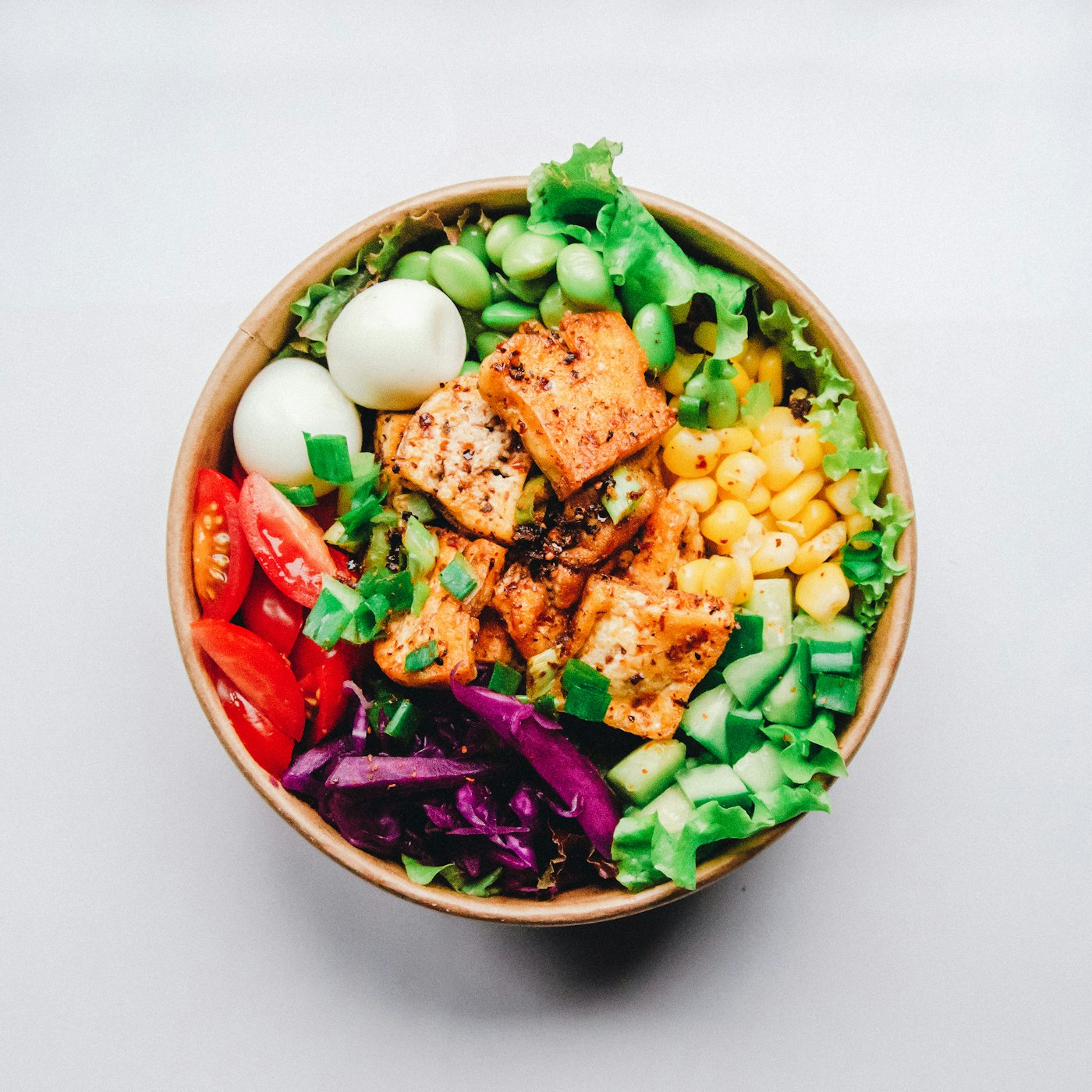
Often not. Plenty of everyday items are recognised as they are, a bowl of food being one, so you can point it at those and get an answer straight away. A catalogue only comes into it when the answer has to be your SKU rather than a category: telling two own-brand variants apart, or matching a part number where the visual difference is millimetres. And if all you need is how many of something there are, object counting needs no catalogue either.
Every result carries a confidence score, so an uncertain identification can be queued for review rather than quietly becoming the answer. What accuracy you actually get depends on your own range and images, including lighting, camera placement and how alike your products look, which is why you get a score per result instead of one headline number that would not survive contact with your shelves.
First in the workflow that asked for it. The check arrives in the Tiliter app on web or mobile, whoever is capturing sees the result there and then, and it is kept against the job with the photo as evidence, so the answer is reviewable later rather than gone the moment it is read. From there it can be pushed to wherever the decision gets made: the till, the scale, the inventory record, or Salesforce. It also runs on enterprise scanners from Zebra, Honeywell and Datalogic as well as standard cameras.
No, and the distinction matters when scoping a project. Detection finds that something is present. Counting answers how many. Recognition answers which exact item, the hardest of the three and the one checkout and inventory accuracy depend on. Many operations use more than one.
Yes. A photograph of the fixture comes back as what is actually on it – which products, where, how many facings – so availability and compliance are read from the image rather than counted by hand. It is the same recognition used at a checkout, pointed at a shelf instead of a single item. The hard part in FMCG is never the concept, it is pack variants that look almost identical, which is what the catalogue is configured around.
That is the usual way it runs. A rep photographs the fixture on a store visit with the phone they already have, and the result is an audit rather than a form to complete afterwards. No fixed cameras, no new hardware in the store, and the same criteria applied whether the visit was the first of the day or the last.
Barcodes answer what an item is once somebody has scanned it. They say nothing about what is sitting on a shelf unscanned, what is missing, or whether a display matches the plan. Image recognition covers the part of the store that never passes a scanner – which for most consumer goods teams is where the questions actually are.
It is one of the Vision Agents, and the one that answers identity: what is this item. The others answer different questions about the same image – how many are there, does it match the reference, what does the label say, what condition is it in. They run on the same platform and can be chained, so a single photograph can identify an item, count it and check it against a standard in one pass.
The same recognition engine, pointed at more than checkout. It was built to identify loose produce at a till without a barcode, which is a hard version of the problem: thousands of visually similar items, poor lighting, a second to decide. That engine now identifies parts in a yard, stock on a shelf and assets in the field. The checkout deployment is the evidence it works at scale, not the limit of where it runs.
Build visual verification workflows and deploy them through mobile, web, cameras or your existing systems. Deployed in thousands of locations worldwide and ready to scale with your operations.