
What is Object Detection?

What is Object Detection?
A camera can capture a scene as an image or a video. However, they can’t process that image or video and identify what is in it like we do. Object detection is a technique computers use to identify, locate, and count objects in an image or video.
It is a part of computer vision technology. This technology is used in various industries, including logistics, healthcare, manufacturing, and others.
Object Detection Models and Architecture
Object detection models are pretrained programs that can recognize and locate objects. They follow an architecture, a design that is used to process images.
The system used for detecting objects processes an image or video in three key steps. First, it takes an image or scene and extracts the feature from it. It breaks down the image into several parts and then collects their shape, color, and textures.
Then, the system compares those key details with the thousands or billions of images using its training data. It classifies the object based on the patterns of its model. Finally, it identifies the object and locates its position by drawing a mark around it. This mark appears as a box, known as a bounding box in computer vision.
Common Architectures
There are different object detection architectures, including the following:
-
R-CNN (Region-based Convolutional Neural Network): This is one of the earliest models of object detection. It breaks an image into multiple regions and checks each one for objects.
-
Faster R-CNN: An improved version that detects objects faster while maintaining accuracy.
-
YOLO (You Only Look Once): Processes the entire image at once and is widely used for real-time detection.
-
SSD (Single Shot MultiBox Detector): Balances speed and accuracy, making it useful for mobile applications.
How to Choose the Right Model
An object detection model should be chosen based on the task to be performed. Some models are best suited for fast results, while others are designed to deliver more accurate results. For example, self-driving cars need faster real-time results, and accuracy is most important.
What Makes an Object Detection System Reliable in Production?
Choosing a model architecture is only the first decision. What separates a working object detection system from a demo is how it handles the conditions that actually exist in the field.
Overlapping and partially visible objects
In real environments, objects are rarely isolated on a clean background. Products overlap on shelves. Boxes stack at angles. Equipment shares tight spaces. A reliable detection system needs to distinguish individual objects within dense scenes – and flag uncertainty rather than guess when it cannot.
Inconsistent image conditions
Detection must work across variable lighting, camera angles, image resolution, and motion blur. A model that performs well under controlled conditions but degrades in low light or at unusual angles is not production-ready. Consistent output quality across variable inputs is a baseline requirement, not a bonus feature.
Structured, verifiable output
What a detection system returns matters as much as whether it detects at all. Production workflows need structured results: what was found, where it was found, how confident the system is, and an audit trail that can be reviewed later. A bounding box label passed to a human for interpretation is not a system – it is a tool that still requires manual work to produce a decision.
Handling novel inputs without retraining
Traditional object detection models are trained on fixed datasets. When the objects, packaging, or environment changes, performance degrades and retraining is required. Production systems need to adapt to new inputs without a full retraining cycle – or at minimum, degrade gracefully and signal when they are outside their reliable range.
These constraints explain why many object detection projects that work in development fail at scale. The model accuracy metric from the benchmark does not reflect how the system will behave on a Tuesday morning with a different lighting rig, a new product SKU, and no machine learning engineer on call.
From Detection to Action – How Object Detection Fits Into Operational Workflows
Object detection is not an outcome by itself. The output of a detection model – a bounding box, a class label, a confidence score – is an intermediate result. What matters operationally is what happens next.
A complete object detection workflow has three stages:
- Detect: The system identifies what objects are present in an image and where they are.
- Decide: The system applies logic to the detection result – is the count correct? Is the object the right type? Is something missing or damaged?
- Act or record: The system produces an output that triggers a workflow action or creates a verifiable record – a count, a verification flag, an alert, a structured data entry.
Most teams building with object detection focus heavily on stage one and underestimate the work required at stages two and three. The detection model tells you a pallet is in the image. It does not tell you whether the count matches the delivery manifest, whether the packaging is intact, or whether someone needs to be notified.
Vision AI Agents are designed to close this gap. Rather than returning raw detection results, a Vision AI Agent takes an image, applies a defined task – count, validate, inspect, extract – and returns a structured, decision-ready output.
- An Object Counter agent does not just detect objects – it returns a verified count with a confidence level and a visual annotation that can be attached to a delivery record.
- An Visual Reference Agent agent does not just confirm something is present – it checks the detected objects against a reference set and flags missing, incorrect, or misplaced items.
The distinction matters for anyone building operational workflows. Detection is a capability. A system that produces consistent, verifiable operational output is what makes that capability useful at scale.
Object Detection in Practice – What Operational Workflows Actually Look Like
Here is how object detection moves from a technical capability to a working operational system across three common scenarios.
Logistics: Counting items against a delivery manifest
A receiving team needs to verify that the quantity of items in a delivery matches the purchase order. Traditional approaches rely on manual counting – error-prone, especially under time pressure or with large quantities.
With an object detection system: an image is captured at the point of delivery. The detection system identifies and counts each item, returns a structured result with a visual annotation, and compares the count against the expected quantity from the manifest. A match is recorded automatically. A discrepancy triggers an alert and creates a documented record with the original image attached.
The result is not just a faster count – it is a verifiable proof of delivery with an audit trail, created without manual data entry.
Retail: Verifying shelf presentation against a planogram
A retail operation needs to confirm shelves are stocked correctly before a store opens. A floor manager walking the floor provides inconsistent coverage and depends on individual attention.
With an object detection system: shelf images are captured on a scheduled basis. The system identifies each product and its position, compares results against the expected layout, and flags gaps, misplacements, and out-of-stock positions automatically. A structured shelf audit is generated with image evidence attached – reviewable remotely and logged for compliance.
Industrial: Inspecting equipment before a task begins
A field technician needs to confirm a toolbox contains all required tools before starting a maintenance job. Missing items are often noticed only after work has started, requiring a return trip.
With an object detection system: the technician photographs the open toolbox. The Visual Reference Agent identifies each tool present and compares it against the required inventory for the job. Missing tools are flagged before the technician leaves the depot. A verification record is created and attached to the job order.
What changes is not just the outcome – it is the accountability. The verification is no longer dependent on one person’s attention. It is documented, repeatable, and reviewable.
CTA Section: See Vision AI in Action
Ready to see Vision Agents in action? Learn how our agent performs real-time object detection and delivers accurate results in seconds.
🎥 Watch Now
Application of Object Detection in Different Sectors
Many tasks can be automated using object detection, including inventory management, diagnosis, and traffic management. Here is how this technology can be used in different industries:
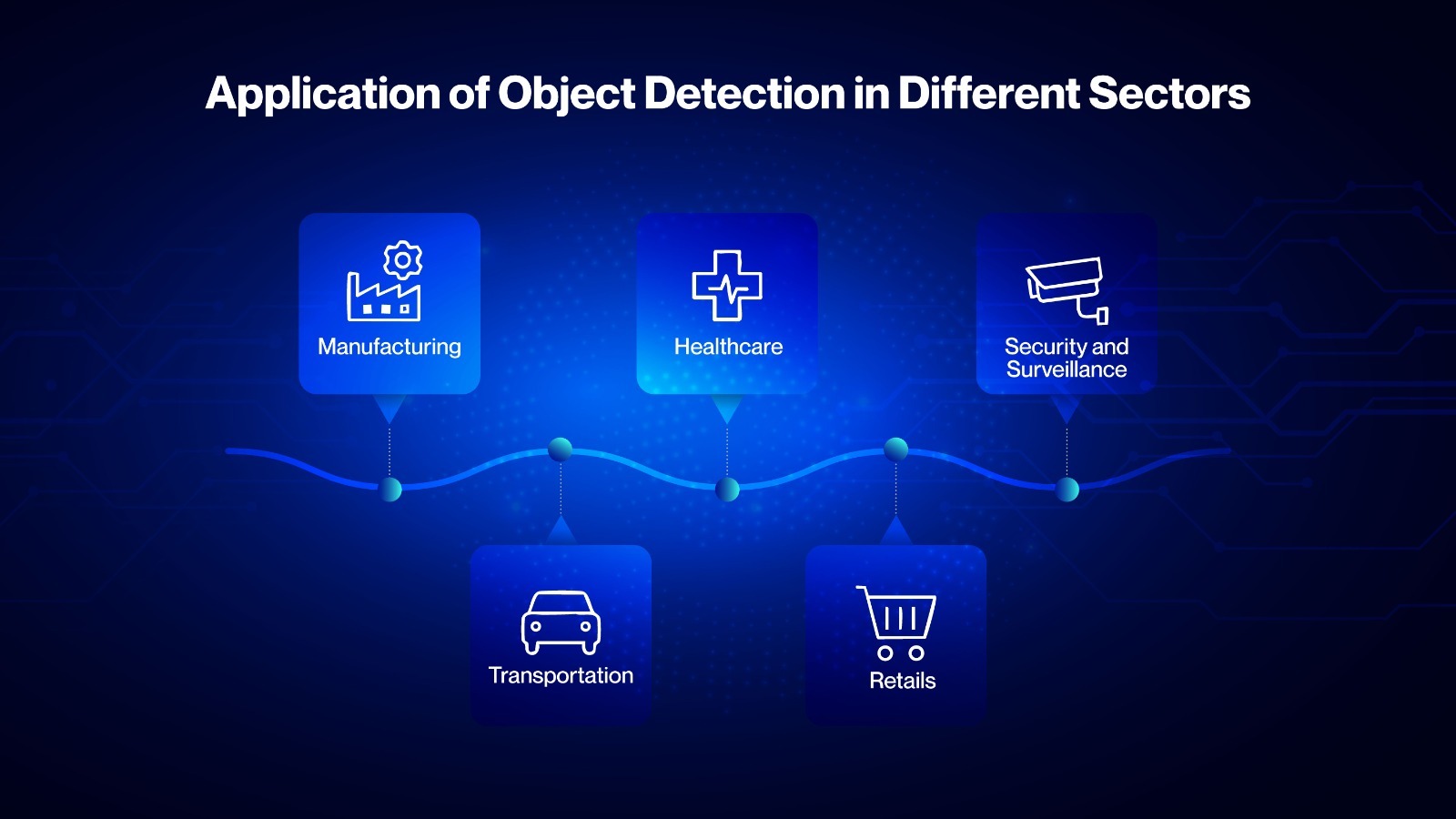
Manufacturing
The production of defective products can lead to increased waste and financial losses in the manufacturing industry. Object detection technology can identify the presence of specific materials used in production. It can prevent the production of defective products early in the manufacturing stage.
Healthcare
Doctors can identify and locate the presence of tumours and fractures with this technology. This technology can detect patterns from MRIs, X-rays, and scans and give useful insights for diagnosis.
Transportation
Smart cities can use this technology for traffic management by detecting the number of vehicles on the road. It is used in self-driving cars to detect the presence of other vehicles or pedestrians.
Security and Surveillance
It can be used to prevent theft, unauthorized access, or suspicious activities. For example, the security camera of a store can detect someone removing an object from the shelves and send instant alerts to the store staff.
Retail
This technology can be used to count the number of objects on store shelves. It can also be used for automatic stock management or replenishment. Stores can avoid stockouts and have a better store organization with this technology.
How Vision AI is Changing the Future of Object Detection
Object detection systems use computer vision to process images. These systems excel at image detection, but they often require retraining when environmental conditions change. But using Vision AI, these problems can be solved.
At Tiliter, we use Vision AI-powered agents for object detection. For example, our object validator agent can detect and identify if any object is present in an image. We also have an object counter agent that can count the number of objects present in an image.
The object detection system, powered by Vision AI, can detect objects with great accuracy, even under challenging conditions, such as poor lighting and at an angle. These systems don’t need retraining when the object detection condition changes.
Want to learn more about the difference between computer vision-powered object detection and AI-powered detection? Read our previous blog here.
Conclusion
Performing manual inspection to verify the presence of an object can be time-consuming and deliver inaccurate results. Detecting objects with computer vision and Vision AI can solve that problem. Industries from various sectors are attempting to automate their workflows with technologies like object detection.
Tiliter is working to make Computer Vision and Vision AI accessible for everyone. We offer Vision AI Agents and other AI-powered tools that can perform visual tasks faster and with greater accuracy.
👉 Ready to automate your workflow with Tiliter’s Vision AI? Get in touch with us today.