
Pencil Whipping: Why a Ticked Checklist Doesn't Prove the Work Was Done
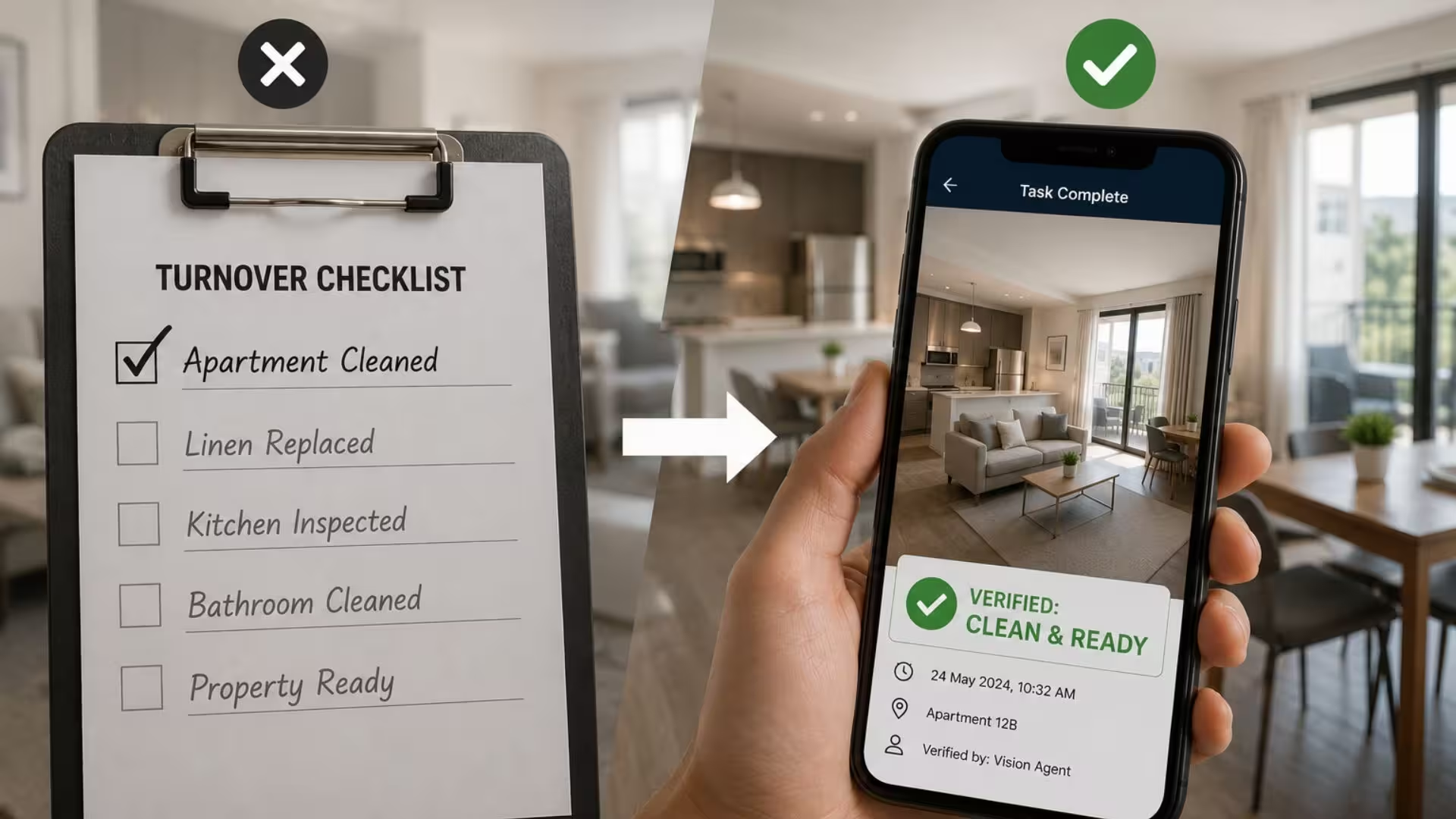
Every operations leader has seen it: the checklist says the cold room was inspected, the apartment was cleaned, the delivery was checked for damage. The box is ticked. The timestamp looks plausible. And the work was never done.
The industry term is pencil whipping – signing off on a task without performing it. It isn’t usually malice. It’s a worker under time pressure, a form that takes longer than the task, a culture where the checklist is treated as paperwork rather than proof. But the result is the same: your compliance data describes a fictional operation, and you find out the truth from a customer complaint, a failed audit, or an insurance claim.
A tick is a claim. A photo is evidence.
The fix isn’t more checklists, more sign-offs, or more supervision. It’s changing what a completed task means: not “someone tapped a box,” but “someone captured evidence, and the evidence was checked.”
That’s operational verification. Workers photograph the completed task – the cleaned room, the unloaded pallet, the wearing of required PPE – and a Vision Agent verifies the image against your standard before the task can be marked complete. The output isn’t a tick. It’s an audit-ready record: the image, the result, the time, the location, the person.
Three things change immediately:
Pencil whipping stops being possible. You can’t fake a photo of work that didn’t happen. A task without valid evidence simply stays open.
Checks happen at the moment of work, not after. A failed verification – a missed corner, a damaged carton, a missing hi-vis vest – surfaces while the worker is still standing there and can fix it, not three days later in a report.
Disputes end quickly. When a guest claims the apartment wasn’t cleaned, or a supplier disputes a damage claim, you don’t argue from a spreadsheet. You produce the timestamped image and the verification result.
What this looks like in practice
The workflow is the same whether you run holiday rentals, warehouses, kitchens, or job sites:
- Assign – the task and its photo requirements go to the worker’s phone or scanner.
- Capture – they photograph the work as part of completing it. No extra app ceremony; seconds, not minutes.
- Verify – a Vision Agent checks the image against your reference standard: is it clean, is it complete, is it undamaged, is it compliant.
- Report – every check becomes a structured record you can search, export, and hand to an auditor.
Property teams use this to verify every turnover clean before the next guest arrives. Receiving teams use it to confirm deliveries match the purchase order and arrived undamaged. Site managers use it to check PPE compliance without standing at the gate. Same mechanism, different reference standard.
“Won’t workers just game the photos?”
It’s the right question, and it has a practical answer. Verification includes the context of capture – when and where the photo was taken – so a recycled image from last week doesn’t pass. And because the Vision Agent evaluates the content of the image rather than its existence, a photo of the wrong room, an empty truck, or a half-done job fails on its own merits.
The deeper answer is cultural: when evidence takes five seconds and the standard is applied consistently to everyone, most teams prefer it. Good workers stop being undermined by the few who pencil-whip, and “I did the work” stops being something they have to defend.
“Doesn’t this slow the team down?”
A photo takes less time than most paper checklists it replaces. The time cost was never the capture – it was the rework, the disputes, and the audits that follow unverified work. Teams running photo verification typically remove steps: the separate supervisor spot-check, the end-of-shift form, the back-and-forth when something goes wrong.
Where to start
Don’t boil the ocean. Pick the one check that hurts most when it’s faked – the cleaning sign-off that triggers guest refunds, the goods-receipt that turns into supplier disputes, the safety check your insurer asks about. Run verification on that single workflow for two weeks and compare the records against what your checklists used to claim.
That first comparison is usually the whole business case.
See it on your own images. Upload photos from your operation and watch a Vision Agent verify them – no setup, no sales call. Test on your images. Or, if you’d rather talk through a specific workflow first, book a workflow review.
Frequently asked questions
What is pencil whipping?
Pencil whipping is signing off on a task, inspection, or checklist item without actually performing it. It’s common wherever completion is recorded by a tick or signature rather than evidence.
How does photo verification prevent pencil whipping?
Tasks can only be completed by capturing an image of the finished work, which a Vision Agent checks against a reference standard. Work that wasn’t done produces no valid evidence, so the task stays open.
What kinds of tasks can be verified with images?
Cleaning and turnover checks, delivery and goods-receipt verification, damage detection, object and stock counting, PPE and safety compliance, and general task completion – any check where the result is visible.
Do workers need special hardware?
No. Verification runs from the smartphones and enterprise scanners teams already carry, and results flow into existing systems via API, Slack, Zapier or Power Automate.
What records are produced?
Each verification produces a structured, audit-ready record: the captured image, the pass/fail result and reasons, the timestamp, and the workflow context – searchable and exportable for audits and disputes.